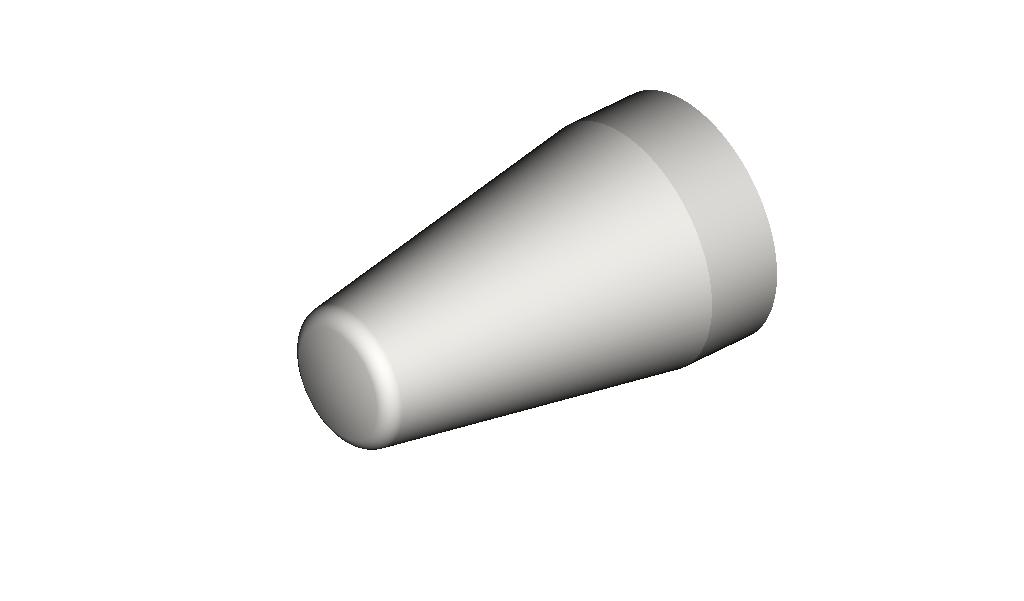
This test case is a blunted cone at Mach 6 with angle of attack 12.5°. It’s part of the hypersonic scout forebody experiments documented in NASA Technical Note D-1790 (Holloway & Dunavant, 1963). The test case directory should be called bluntcone
This tutorial assumes that you have followed the installation instructions.
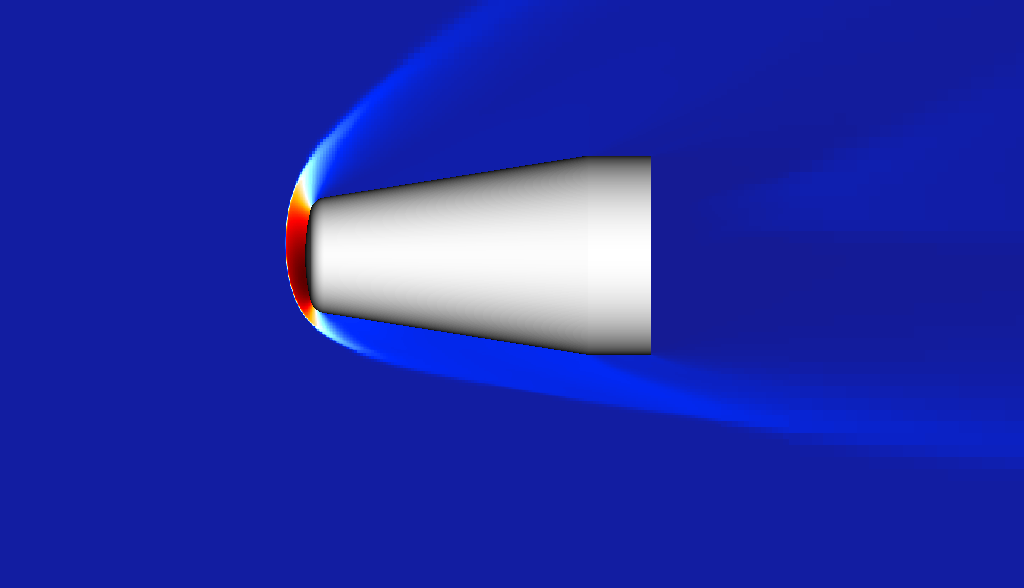 Flowfield (pressure) at Mach 6, α = 12.5°; symmetry-plane slice showing bow-shock stand-off and forebody structure.
Running the case
Assuming the champs+ engine is on your path and you have a valid license file in the directory pointed to by CHAMPS_DATA, you can invoke the engine by simply typing champs+ on the command line.
The engine defaults to running the parameters in input.sdf. If you wish to use a different input file, you can specify it as an argument:
champs+ other_input.sdf
See the command line reference for more information on available options.
After executing the command, you will see a stream of terminal output tracking the solver's initialization and iteration progress. This test case is computationally efficient and should complete in less than 1 minute on most modern GPU cards.
Once the simulation completes, you can validate the data using the included Python post-processing script, post.py. Run the script using:
python3 post.py
This script extracts the surface data and compares it against the reference values. It will generate a static PNG of the comparison in your working directory and launch an interactive plotting window. Note that if no display is available, then you will not see the diplay and will instead need to view the generated image file.
You should see agreement between the computed pressure coefficient (Cp) and the experimental data, as shown below (note that the style might be different):
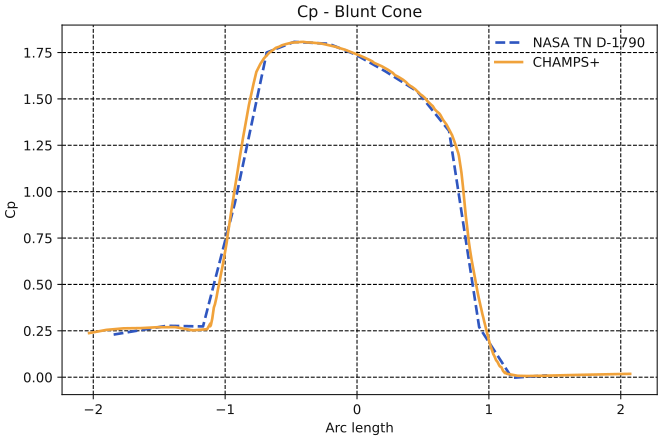
Figure: Comparison of pressure coefficient along the symmetry meridian. The solver results (solid line) are plotted against the reference data from TN D-1790 (dashed).
Simulation Outputs
All results are stored in the sim/ directory. Subdirectories prefixed with an underscore (e.g., _debug, _cache) are used for internal solver operations and can be ignored.
The Outputs block in the input file generates the following data: sym_plane (volumetric slice at z = 0.001) in sim/slice/, surf_out (fuselage surface data) in sim/surface/, and press_out (CSV profile extraction) in sim/profile/. These VTK and VTM files can be opened in ParaView. The press_out CSV specifically includes the user-defined pressure coefficient: cp = (P - Qinf::pinf) / (0.5 * Qinf::rhoinf * umag * umag).
Additionally, solver log files are located in sim/log/, while binary .db files in sim/restart/ can be used to initialize another simulation.
Suggested Variations
As this is likely your first test case using HyperFAT, it is recommended that you take use this tutorial case to learn about the way the code works.